
'%3e%3crect%20x='12'%20y='8'%20width='512'%20height='512'%20rx='120'%20fill='url(%23paint0_linear_1215_12064)'/%3e%3cpath%20d='M104%20325.365C121.348%20312.094%20140.348%20301.028%20160.565%20292.463C167.897%20289.321%20175.355%20286.561%20182.928%20284.164C192.784%20289.866%20201.885%20296.806%20209.995%20304.832C226.813%20321.55%20238.812%20342.431%20244.744%20365.306C245.004%20366.321%20245.598%20367.222%20246.432%20367.866C247.266%20368.509%20248.292%20368.86%20249.349%20368.86C250.405%20368.86%20251.432%20368.509%20252.266%20367.866C253.1%20367.222%20253.694%20366.321%20253.955%20365.306C259.899%20342.434%20271.9%20321.555%20288.713%20304.832C300.791%20292.881%20315.062%20283.334%20330.756%20276.704C336.897%20274.079%20343.208%20271.97%20349.67%20270.348C350.7%20270.097%20351.616%20269.511%20352.271%20268.682C352.925%20267.854%20353.281%20266.831%20353.281%20265.779C353.281%20264.726%20352.925%20263.704%20352.271%20262.876C351.616%20262.047%20350.7%20261.461%20349.67%20261.21C343.208%20259.598%20336.915%20257.489%20330.756%20254.865C315.061%20248.236%20300.789%20238.687%20288.713%20226.736C271.89%20210.016%20259.888%20189.131%20253.955%20166.252C253.701%20165.23%20253.11%20164.322%20252.276%20163.672C251.441%20163.023%20250.41%20162.67%20249.349%20162.67C248.288%20162.67%20247.257%20163.023%20246.423%20163.672C245.588%20164.322%20244.997%20165.23%20244.744%20166.252C243.119%20172.673%20240.993%20178.915%20238.348%20185.027C231.667%20200.597%20222.042%20214.755%20209.995%20226.736C198.483%20238.132%20185.013%20247.296%20170.283%20253.837C167.024%20252.606%20163.785%20251.304%20160.565%20249.928C140.347%20241.365%20121.347%20230.301%20104%20217.029L104%20143.034C104%2087.6652%20164.068%2053.0591%20212.122%2080.7435L422.96%20202.21C471.014%20229.894%20471.013%20299.105%20422.96%20326.79L212.122%20448.256C164.068%20475.941%20104%20441.335%20104%20385.966L104%20325.365Z'%20fill='%23361767'/%3e%3cpath%20d='M155.058%20275.289C182.924%20275.289%20205.514%20297.563%20205.514%20325.038C205.514%20352.514%20182.924%20374.788%20155.058%20374.788C127.191%20374.788%20104.601%20352.514%20104.601%20325.038C104.601%20297.563%20127.191%20275.289%20155.058%20275.289Z'%20fill='%23361767'/%3e%3cpath%20d='M148.45%20172.194C172.667%20172.194%20192.3%20191.784%20192.3%20215.95C192.3%20240.115%20172.667%20259.705%20148.45%20259.705C124.233%20259.705%20104.601%20240.115%20104.601%20215.95C104.601%20191.784%20124.233%20172.194%20148.45%20172.194Z'%20fill='%23361767'/%3e%3c/g%3e%3cdefs%3e%3cfilter%20id='filter0_d_1215_12064'%20x='0'%20y='0'%20width='536'%20height='536'%20filterUnits='userSpaceOnUse'%20color-interpolation-filters='sRGB'%3e%3cfeFlood%20flood-opacity='0'%20result='BackgroundImageFix'/%3e%3cfeColorMatrix%20in='SourceAlpha'%20type='matrix'%20values='0%200%200%200%200%200%200%200%200%200%200%200%200%200%200%200%200%200%20127%200'%20result='hardAlpha'/%3e%3cfeOffset%20dy='4'/%3e%3cfeGaussianBlur%20stdDeviation='6'/%3e%3cfeComposite%20in2='hardAlpha'%20operator='out'/%3e%3cfeColorMatrix%20type='matrix'%20values='0%200%200%200%200%200%200%200%200%200%200%200%200%200%200%200%200%200%200.25%200'/%3e%3cfeBlend%20mode='normal'%20in2='BackgroundImageFix'%20result='effect1_dropShadow_1215_12064'/%3e%3cfeBlend%20mode='normal'%20in='SourceGraphic'%20in2='effect1_dropShadow_1215_12064'%20result='shape'/%3e%3c/filter%3e%3clinearGradient%20id='paint0_linear_1215_12064'%20x1='24'%20y1='-8.83546e-06'%20x2='550'%20y2='540'%20gradientUnits='userSpaceOnUse'%3e%3cstop%20stop-color='%23FF7EDD'/%3e%3cstop%20offset='0.526842'%20stop-color='%23CD6AFF'/%3e%3cstop%20offset='1'%20stop-color='%234F30D6'/%3e%3c/linearGradient%3e%3c/defs%3e%3c/svg%3e) VORA
VORA Turn ideas, text, or images into cinematic Sora videos—4K resolution, synced audio, and produce professional-grade videos at scale. Simplify your short video creation workflow.
Vora AI Video Generator
Vora AI Video Generator makes video creation easier than ever. Instantly transform text prompts or images into professional-quality videos for social media content, marketing campaigns, or any creative projects—no technical expertise or filming required. Just input your ideas and let Vora AI handle the rest, delivering high-definition, watermark-free videos in minutes.
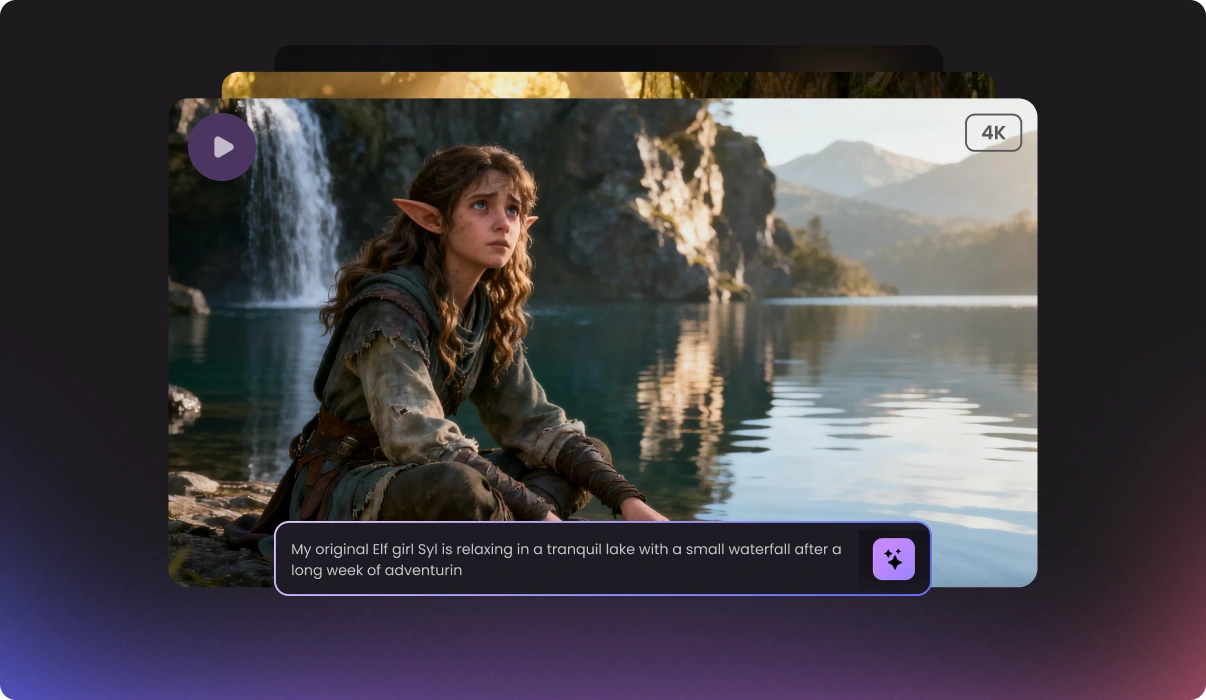
Upgrade Your Video Creation with Vora AI
Vora is an advanced AI video generator designed to enhance Sora videos, helping you create better content with ease. By analyzing context, characters, actions, and scene settings from text prompts or images, Vora automatically generates high-quality video content. With Vora's AI video cloning feature, you can extract detailed prompts from any short video and effortlessly recreate trending content. Enjoy unlimited, watermark-free, and seamless video creation while boosting your productivity with a comprehensive suite of creative inspiration tools.
Clone Trending Videos from Prompts
Easily clone and recreate viral social media videos—upload any short video and instantly generate prompts to create a new video in the same style.
VORA AI
VIDEO GENERATOR
Fresh Inspiration for Every Project
Vora provides a vibrant video community and a rich prompt library, empowering content creators to find fresh inspiration for any project.
HD & Watermark-Free Video Generation
Create lifelike 25-second videos in up to 4K Ultra HD quality with synchronized voiceover and no watermarks.
Robust Security & Privacy
Your videos and personal data are always protected and kept confidential throughout the entire process.
Advanced Cinematic Prompting
Transform your ideas into professional, cinematic prompts that precisely define camera movements, lighting details, and timing rhythm for your video.
Enhance Video Quality Instantly
Instantly remove Sora video watermarks and upgrade video quality to 4K Ultra HD with one click.
Trending AI-Generated Videos from the Community
Click to play, view, and recreate a video with the prompt.
Vora Practical Video Creation & Inspiration Tools
From Sora AI video generation to enhancement, downloading, watermark removal, and video-to-prompt conversion, Vora AI Video Generator meets every need. Discover endless inspiration and effortlessly create realistic, professional, and engaging videos on any topic. Whether for content creation, marketing, education, or personal entertainment, our powerful AI video tools help you save significant time and costs while making your content stand out with ease.
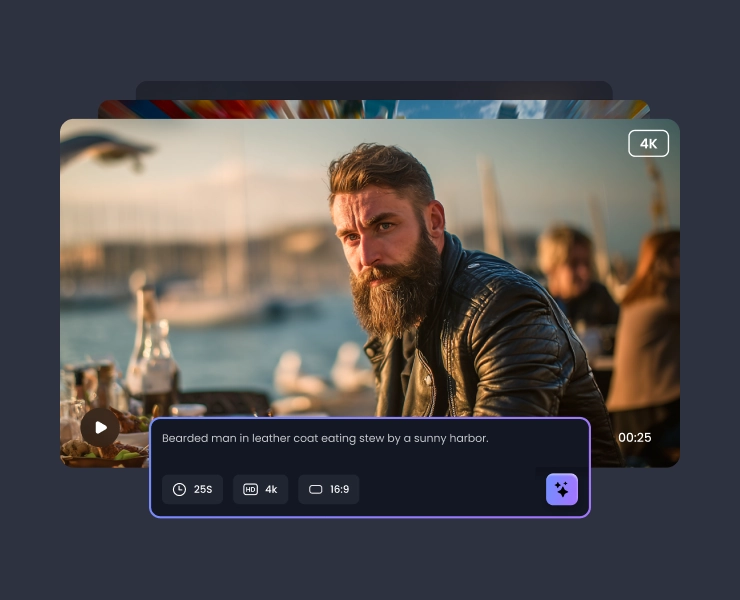
Generate High-Definition Sora Videos with Vora
Create watermark-free Sora videos with Vora AI Video Generator. Transform text or images into stunning, synchronized audiovisual content with customizable transitions, effects, and cinematic quality. Instantly enhance your videos and produce unlimited creative outputs—no technical skills required. Perfect for professional and personal projects.
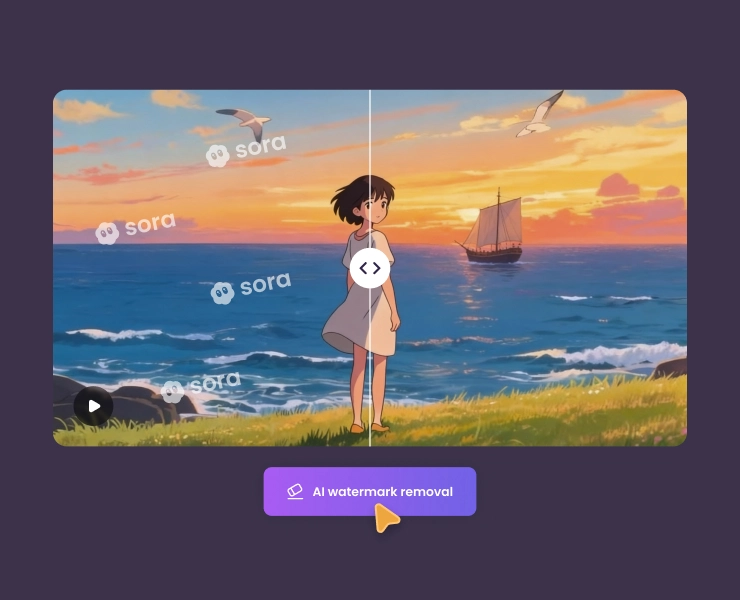
Remove Sora Watermarks with Vora
Effortlessly remove Sora watermarks from your videos with Vora. Instantly erase text overlays and logos, preserving video quality, color accuracy, and sharpness. No manual editing required—just upload your video and let Vora deliver flawless, watermark-free results for polished, professional content ready to boost engagement and credibility.
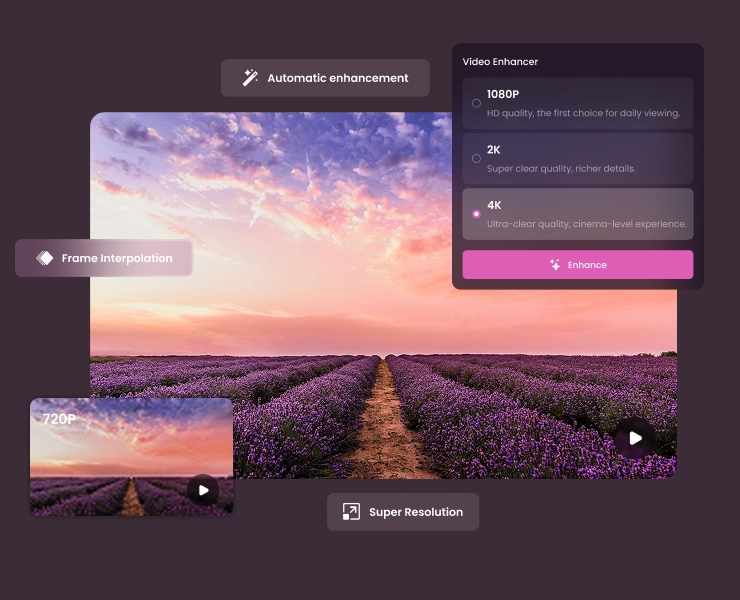
Enhance Sora Video Quality with Vora
Upgrade your Sora videos to stunning HD, 2K, or 4K quality with Vora's AI video enhancer. Instantly upscale resolution, improve clarity, and interpolate frames—just upload or paste a link for fast, watermark-free results. Achieve cinematic visuals with vibrant detail and smooth motion, making your content truly stand out.
Download Watermark-Free Sora Videos with Vora
Easily download Sora AI videos as watermark-free MP4 files with our Sora Video Downloader. Just paste your Sora video link to save and enhance videos in seconds. Fast, reliable, and compatible with any device, Vora delivers sharp, professional-quality videos ready for editing, sharing, or reuse.
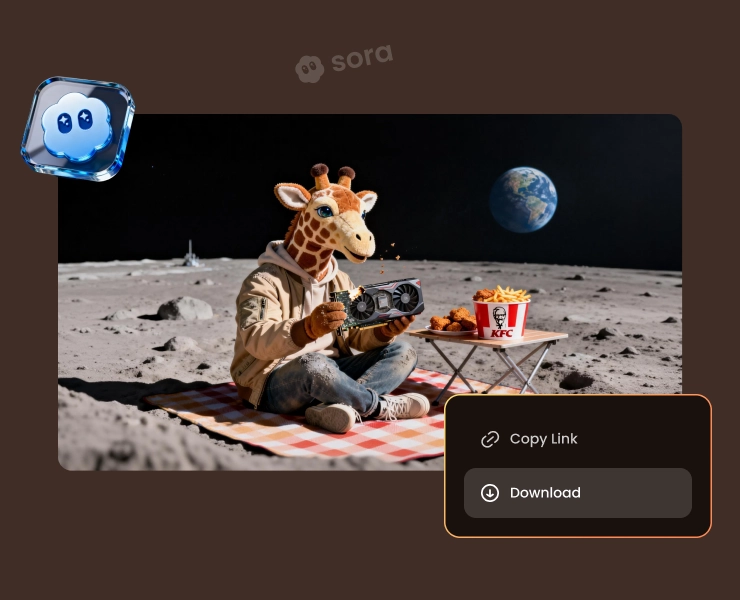
Clone Trending Videos with Vora AI Video Generator
Convert any video or link—YouTube Shorts, TikTok, and Sora—into detailed, editable prompts with Vora AI Video to Prompt Generator. Instantly extract style, actions, audio, and key details for easy video cloning or creation. Enjoy lightning-fast, multi-language support and seamless inspiration for your next viral AI video.

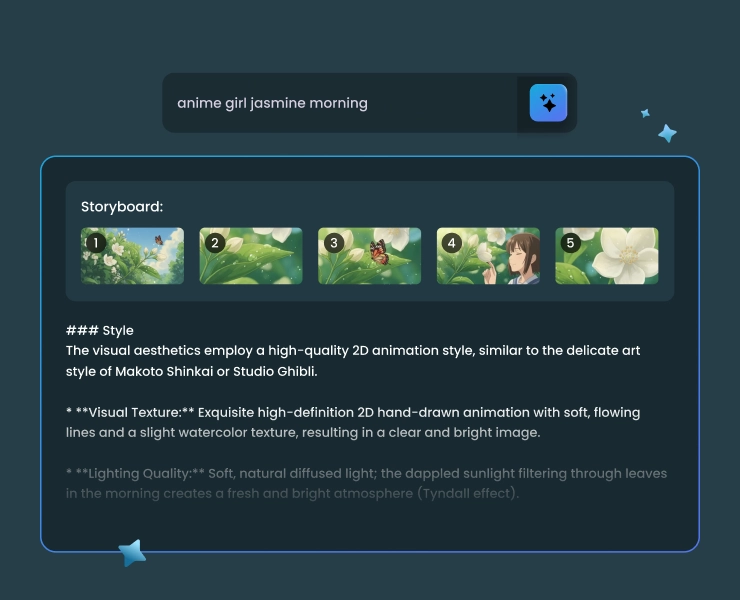
Generate Cinematic Video Prompts with Vora
Transform your video ideas or scripts into structured, cinematic-grade prompts. Boost creative efficiency with automatic prompt generation, easy editing, and one-click copying and saving. Perfect for creators and marketers, Vora enables high-quality, personalized videos—no manual writing or technical expertise needed.
How to Use Vora AI Video Generator
With the Vora AI video generator online, you can effortlessly transform text prompts and images into stunning videos, complete with voiceovers and visual effects. Follow three easy steps to get started.
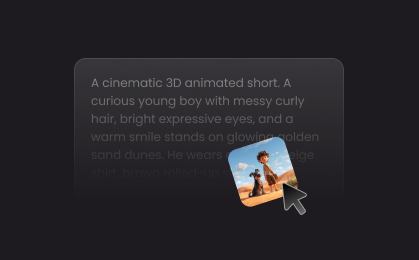
Enter Prompt
Describe the video you want to create, including details about the characters, actions, settings, movements, and any other important elements. You can also upload an image as a reference for your AI video.
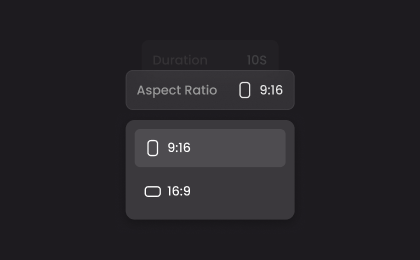
Adjust Settings
Select an aspect ratio: "16:9" for landscape or "9:16" for portrait. Then, choose your video duration (10, 15, or 25 seconds) and preferred resolution (720P, 1080P, 2K, or 4K).

Generate Video
Click the "Generate" button, and the AI video generator will start crafting your video. Using the Sora 2 AI model, creation typically takes 3-5 minutes. Once finished, you can preview and download the AI video directly to your device.
Transform the Way You Create Videos for Various Topics
With Vora AI Video Generator, you can efficiently produce high-quality, engaging content for marketing, education, social media, and entertainment, meeting diverse creative needs.
Marketing & Promotion
Education & Training
Social Media Content Creation
Content Prototyping & Storyboarding
Media & Entertainment Industry
Marketing & Promotion
Automatically generate product introductions, brand promotions, and advertising videos. This helps businesses improve marketing efficiency, boost creativity, and reach target audiences more effectively with engaging content.
Why Choose Vora AI Video Generator
Vora AI Video Generator offers a seamless, user-friendly solution for creating high-quality videos in minutes—no professional skills required. Discover why it's the top choice for marketers, educators, content creators, and individual users alike.

Diverse Content
Powered by OpenAI Sora, Vora offers diverse themes and styles, allowing you to create videos for marketing, education, social media, and more—suiting any scenario or creative need.

Ultra HD Output
Vora delivers videos with crisp visuals, seamless animations, and impressive effects in up to 4K resolution, ensuring an engaging and immersive viewing experience every time.

No Watermark
Vora's AI-generated videos are completely watermark-free, ensuring your content looks professional and polished, perfect for sharing across platforms without distractions.

Cinematic Prompts
With Vora, you can effortlessly turn your ideas into professional, cinematic prompts—precisely defining camera movement, lighting details, and pacing—making it easier to create high-quality, realistic videos.

Viral Replication
Easily clone and recreate trending social media videos—just upload a short video to instantly generate prompts, helping you quickly find creative inspiration or produce similar videos in the same style.

Cost Reduction
Create high-quality, watermark-free Sora AI videos without expensive production costs. Earn free credits daily to enhance videos, generate prompts, and remove watermarks & logos with ease.
More Than Just an AI Video Generator
No need to juggle multiple video creation and editing tools—clone viral short videos, create unlimited watermark-free videos, and enhance instantly, all with Vora.

4.5
TrustScore

95%
User Satisfaction

10M+
Users Worldwide
 Rated 5
I’ve tried several AI video tools, but Vora stands out for its ease of use and powerful features. The Sora integration allows me to generate high-quality videos quickly, and the ability to clone viral videos is incredible for keeping up with trends. Highly recommended for anyone serious about video creation!
David Johnson, The Media Guy
Rated 5
As an educator, I need tools that save time and deliver results. Vora does both! I can create engaging lessons and tutorials in minutes, and the watermark remover ensures my videos look polished and professional. It has become an essential part of my teaching toolkit.
Emily Williams, Teacher
 Rated 4
Vora offers a lot of great features for video creators, especially the watermark removal and video enhancement. I do wish there were more advanced editing options and templates, but overall, it’s a reliable tool that’s helped me grow my audience.
Michael Brown
Rated 4
The video-to-prompt conversion is super useful for cloning viral content, and the download feature works perfectly. Sometimes the AI-generated prompts could be more creative or varied, but I still find Vora extremely helpful for quick content production.
Olivia Davis
Rated 5
What I love most about Vora is how easy it is to enhance my videos. The resolution and color-balancing features make even my amateur footage look professional. The AI video cloning lets me experiment with styles I see on social media. It is a must-have for creators!
Daniel Miller
Rated 5
Vora’s prompt library is a treasure trove for anyone struggling with creative block. I’ve used it to jumpstart new projects and the results have always exceeded my expectations. Downloading my videos without watermarks is a huge plus. I can’t recommend Vora enough.
Chloe Wilson
Rated 5
This is the best AI video generator I’ve used so far. The interface is intuitive, and the video enhancement tools are top-notch. I love how I can convert any video to a prompt and recreate it in my own style. Vora has helped me produce content for my tech channel faster and with better quality than ever before.
Ethan Moore, Tech Blogger
Rated 4
I appreciate how easy it is to generate and enhance videos with Vora. The ability to work without an invitation code for Sora is a big advantage. I’d love to see more integrations with platforms, but it’s still an excellent solution for marketers.
Grace Taylor, Marketing Manager
Rated 3
Vora is a solid choice for basic video generation and editing tasks, especially for beginners. However, some advanced features feel limited, and customization options could be improved. It’s a good starting point, but professionals might need more robust tools for complex projects.
Matthew Anderson
FAQs About Vora AI Video Generator

Create AI Videos for Free with Vora from Scratch
Get started with the best AI video generator today and effortlessly turn your text prompts or photos into realistic, impressive videos. Enjoy an efficient experience with watermark-free and studio-quality results. Try it now!
Start Creating Now
Vora AI Video Generator has revolutionized my workflow as a content creator. The unlimited video generations mean I never have to worry about hitting a limit, and every download is watermark-free, which is essential for my brand’s professional image. The video enhancer makes my footage look stunning, and the prompt library is my go-to for creative ideas. Highly recommended for creators!
Jessica Smith